How Do I Change The Default Debug Browser to FireFox in Visual Studio 2005
So you like to test your .NET applications in FireFox?
Here is how you setup your default browser for debugging .NET web Applications in Visual Studio .NET 2005:
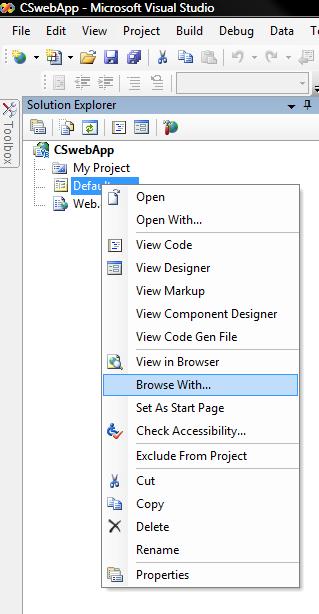
1. Open your Web application and from the "Solution Explorer" right-click on the a web file in your solution.
2. Select "browse with ..."
3. Click "Add ..." button
4. Click the "..." button and browse to your favorite browser. (*hint*) FireFox ussually installs under "C:\program files\Mozilla Firefox\firefox.exe"
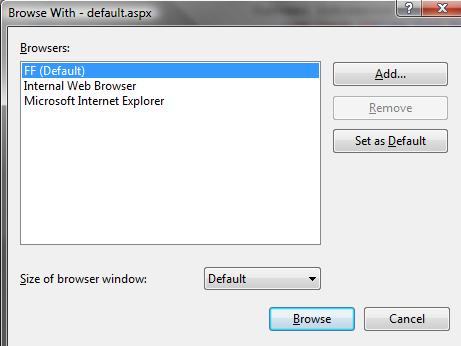
5. Type in a "Friendly name" and click "OK" and then "Browse" and you are done!