Free Exchange 2007 Spam Filtering Agent
Some companies are so small, installing a separate Edge spam filter server is out of the question.
Here is a free Microsoft alternative to building Edge server or installing a third party spam filter:
1. Log on to the Hub Transport Server.
2. Go to "Start" -> "Programs" -> "Microsoft Exchange Server 2007".
3. Open "Exchange Management Shell".
4. Write "Install-AntispamAgents.ps1" and press on the "Enter" key.
5. Restart "Microsoft Exchange Transport" service.
6. Go to "Start" -> "Programs" -> "Microsoft Exchange Server 2007".
7. Open "Exchange Management Console".
8. Navigate to "Microsoft Exchange" -> "Organization Configuration" > "Hub Transport".
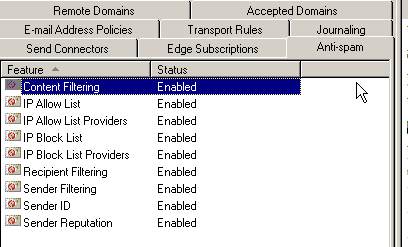
9. A new tab, named "Anti-Spam" should appear.
Note: To revert to Exchange 2007 default settings, use "uninstall-AntispamAgents.ps1"
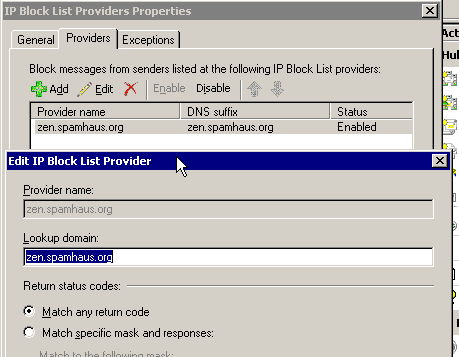
script and restart the "Microsoft Exchange Transport" service. If you have IP block list provider enabled you will want to make sure that your clients are able to receive emails. Sometimes emails are blocked when they send from certain IP blocks. I use spamhaus.org but I have a small client base.